Recurring billing for service agreements
Sell maintenance plans and memberships, bill them automatically, and keep every visit on schedule, with the tools you already use or on its own.
No credit card required.
See it in two minutes
Billing that runs itself
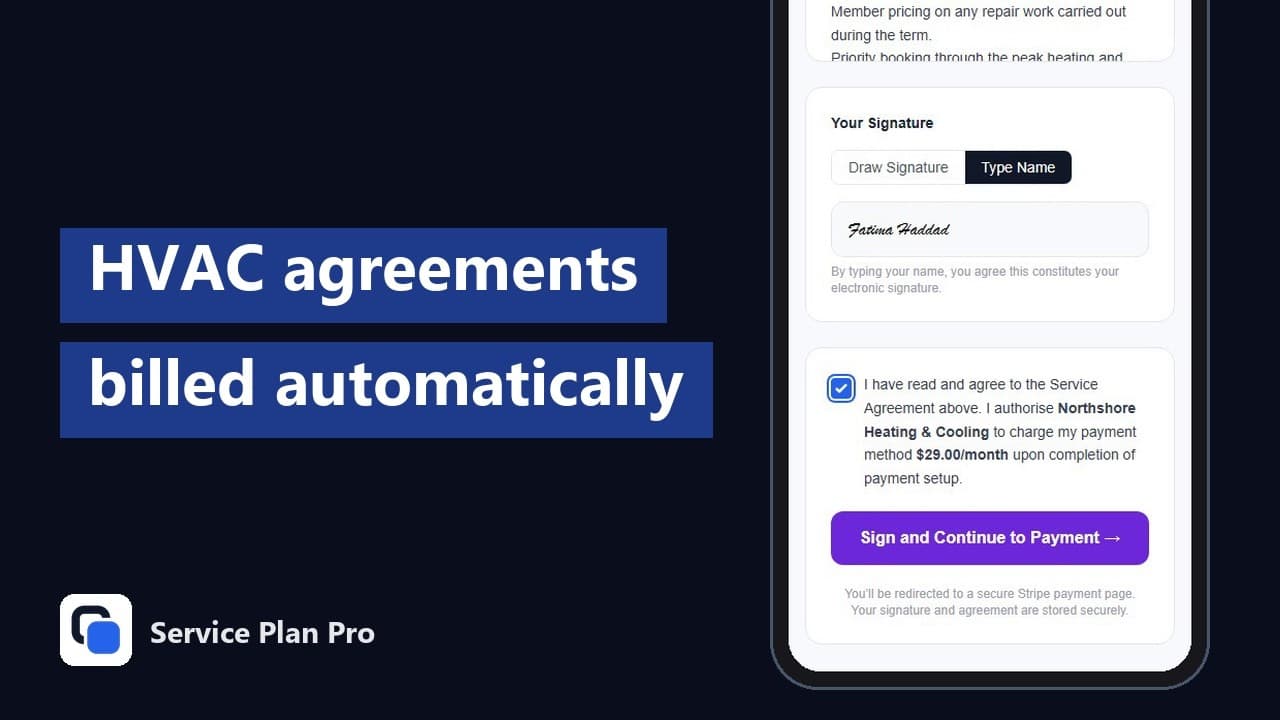
Create a plan once, enrol customers in bulk, and Service Plan Pro handles the rest: recurring invoices, card payments through your own Stripe account, receipts, failed-payment follow-up, and renewal reminders.
A visit schedule that stands on its own
Plans that include visits generate their schedule automatically. See what's due, mark visits complete, download your schedule as a calendar file for Google Calendar, Apple Calendar, or Outlook, and get a daily email listing tomorrow's visits. Customers get their own reminders too.
Bring your customers from anywhere
Import your customer list from a CSV with column mapping, or sync it from ServiceM8. No field service software required.
Works with ServiceM8
Connect ServiceM8 and Service Plan Pro will also create job cards for scheduled visits, sync your client list, and log payment notes to client diaries.
What a maintenance contract looks like in Service Plan Pro
A maintenance contract is a plan. You give it a name, a price and a billing interval, weekly to yearly, and choose how it collects: automatic card billing through your own Stripe account, or a recurring invoice the customer pays by bank transfer, cash or an optional Pay Now link. Plans that include site visits carry a visit frequency, annual, twice a year or quarterly, and named member perks such as priority booking or a parts discount. Each customer signs a digital service agreement that lists the plan, the price and the perks before billing starts, and the contract keeps renewing until you cancel it. Starter plan templates that work for any trade pre-fill all of this so you edit rather than start from blank. Still deciding on the price, or on how many customers to aim at? The maintenance plan revenue calculator turns a price and a visit frequency into what the program would be worth over a year.
Billing and the visit schedule run together
When the customer signs, billing starts and the visit schedule is worked out from the enrolment date. Stripe charges the card on each renewal date and sends a receipt, or a branded invoice goes out on the schedule you set. Each visit appears on the Schedule page in your dashboard, you mark it complete when it's done, and you can download the whole schedule as a calendar file for Google Calendar, Apple Calendar or Outlook. Every morning at 09:00 in your business timezone you get an email listing tomorrow's visits, and customers get their own visit reminders. With ServiceM8 connected, each visit also becomes a job card.
What happens on a failed payment and at renewal
If a card charge fails, Stripe retries it automatically over several days, the customer gets an email asking them to update their card in the customer portal, and the subscription shows as past due in your dashboard and under At-Risk Customers. If every retry fails the subscription is cancelled and you're told. A recurring invoice that goes unpaid past the number of days you set gets an overdue reminder automatically, with an optional second reminder per plan. At renewal nothing needs your attention: the customer gets a renewal reminder email seven days before the date and the contract renews on the same terms. Cancelling a contract stops future billing and keeps every agreement, payment and visit record.
Who this is for
Field service companies that sell recurring maintenance: HVAC service agreements with annual or twice-yearly tune-ups, plumbing and heating and boiler service plans, electrical inspection and testing contracts, pest control on a quarterly route, and fire protection with scheduled inspections. If the contract has a price, a renewal date and a visit interval, it fits. You don't need field service software to run it. For heating and plumbing installers in the UK, the Service Plan Software alternative page covers boiler service plans billed in pounds. The documentation describes each plan type and exactly what happens at every step.
Service contracts software that only does the contract
Service Plan Pro is service contracts software for the recurring side of the business. You set up the plan and its price, and each customer signs a digital service agreement before billing starts. From then on the contract bills on schedule: the card is charged through your own Stripe account, or a recurring invoice goes out and the customer pays it by bank transfer, cash or the Pay Now link. If the plan includes visits, the visit calendar is worked out from the enrolment date and you can download it into Google Calendar, Apple Calendar or Outlook. Quoting, dispatch, job management and technician scheduling stay in whatever job system your crews already run, and nothing there has to change. If you've gone looking for service contract billing software to sit beside that system, that's the gap it fills. If that system is Housecall Pro, the alternative to Housecall Pro Service Plans page shows how the two run together. If you're weighing it against Deepsel, another tool that runs only the agreement, the Deepsel alternative page puts the two side by side.
Maintenance contract billing, answered
Is Service Plan Pro service contracts software or a field service app?
It's the contract side only. Service Plan Pro runs the plan, the signed agreement, the billing and the visit schedule, and it works on its own with no field service app behind it. ServiceM8 and QuickBooks Online are optional connectors. Connect ServiceM8 and each scheduled visit also becomes a job card; connect QuickBooks Online and paid invoices, their payments and your Stripe payouts are posted to your books, each payout as one deposit with the fee on its own line.
What is the best software for service maintenance contracts?
That depends on what you need the software to do. If you need quoting, dispatching and job management, you need a field service platform, and Service Plan Pro works alongside one rather than replacing it. If what you need is the contract itself billed on time, the visits tracked and the customer reminded, Service Plan Pro does exactly that on its own, for a flat monthly price and with no long-term commitment.
How do I create a maintenance contract?
Go to Plans in your dashboard and click Create New Plan. Choose Billing Only, Billing + Visits or Recurring Invoice, set the price and the billing interval, and for a plan with visits set the visit frequency. Add the member perks the customer gets, then save. To put a customer on it, open their profile, click Enrol in Plan and pick the plan. They receive a digital service agreement by email, and billing starts once they sign it. If you have a whole list of customers, import them from a spreadsheet and enrol them in bulk.
Are service agreements worth it?
For most field service companies, yes. A signed agreement turns a customer who calls when something breaks into one who pays on a schedule and gets visited on a schedule, which makes revenue easier to predict and keeps equipment serviced before it fails. The part that usually goes wrong is the admin: remembering who is due, chasing the payment, sending the reminder. That admin is what Service Plan Pro takes off your plate.
Can I bill annually or monthly?
Both. Card-billed plans are charged weekly to yearly through Stripe. Recurring Invoice plans go out on the schedule you choose, monthly, quarterly or otherwise, and the customer pays each one by bank transfer, cash or the Pay Now link on the invoice.
Do I need ServiceM8?
No. Service Plan Pro sells and bills service agreements on its own: plans, enrolment, card billing through Stripe, recurring invoices, signed agreements and a visit schedule. ServiceM8 is an optional connector. Connect it and Service Plan Pro will also create job cards for scheduled visits, sync your client list and log payment notes to client diaries.
No credit card required.