Maintenance plans and service agreements for Jobber users
Jobber schedules and invoices the work. It doesn't sell a maintenance plan, get the service agreement signed, or show you what your memberships are worth each month. Service Plan Pro does that beside it, and your clients come across from a CSV.
No credit card required.
See it in two minutes
What a maintenance plan looks like in Jobber today
Jobber's answer to a recurring maintenance agreement is a recurring job: a job that repeats on a schedule, generates an invoice each time, and on the Connect plan and above can charge a card on file automatically. That covers the visit and the invoice. It doesn't cover the plan itself: there's no plan template with perks, no agreement the customer signs, no member portal, and no view of what the plans are worth as recurring revenue. The office usually keeps a spreadsheet beside Jobber for exactly that.
Service Plan Pro is that missing layer. It runs the plan, the signature, the card billing and the member side, and leaves scheduling and dispatch where they are. Read on 8 September 2026 from Jobber's own help centre and pricing page; if Jobber ships a membership feature, this page will say so.
Side by side
| What you need | Jobber | Service Plan Pro |
|---|---|---|
| A plan with a name, price, perks and a visit frequency | A recurring job with line items. No plan template, no perks. | Plan builder with ready-made templates that work for any trade, and perk sets for HVAC, pest control and pool. Perks print on the agreement and in the portal. |
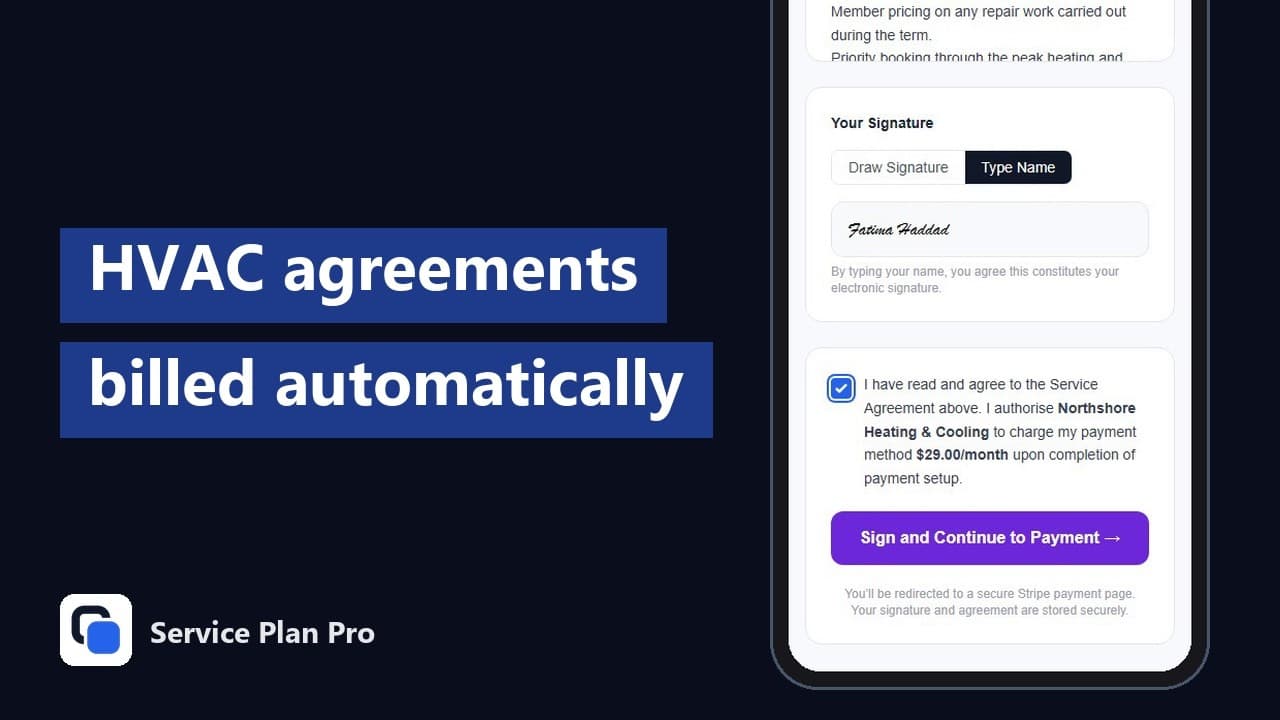
| The customer signs an agreement before billing starts | Quote approval only. No agreement document, no signature stored on the plan. | Digital service agreement, e-signed on a phone, stored on the customer record. |
| Card charged automatically every month or year | Automatic payments on recurring jobs, on the Connect plan and above. | Every tier. Charged through your own Stripe account; the money never passes through us. |
| Failed payment recovery | Invoice reminders. | Stripe retries, the member gets an email to update the card, the subscription shows under At-Risk Customers. |
| A portal where the member sees the plan, perks, visits and billing | Client Hub shows quotes, jobs and invoices. | Member portal with the signed agreement, perks, visit history and billing. |
| Monthly recurring revenue, churn and renewals in one view | Reporting on jobs and invoices. | MRR, active members, churn, revenue at risk and upcoming renewals on the dashboard. |
| Customers enrol themselves from a link | Online booking for one-off work. | A shareable self-enrolment link per plan: pick the plan, enter details, sign, pay. |
Jobber column read on 8 September 2026 from help.getjobber.com and getjobber.com/pricing. Service Plan Pro column is documented on the help pages.
Running both, in three steps
Export your clients from Jobber
Jobber's help centre covers exporting client information to a spreadsheet. Import that CSV into Service Plan Pro with column mapping, or bring it in from Google Sheets. Nothing in Jobber changes.
Build the plan and enrol in bulk
Create the plan once. Enrol your existing plan customers in bulk; new ones get a link and enrol themselves. Each member signs the agreement before billing starts, and the card is charged through your own Stripe account on the schedule you set.
Keep dispatching in Jobber
Visits appear on the Schedule page in your dashboard and in a daily digest at 09:00 in your timezone. Download the schedule as a calendar file, or book the visit in Jobber the way you book any job. The plan, the payment and the agreement stay in Service Plan Pro.
The billing, agreement and visit mechanics are the same ones described on the service agreement billing page. If you run ServiceM8 instead of Jobber, the ServiceM8 connector also creates the job card when a visit is due. For Housecall Pro, the Housecall Pro Service Plans alternative page covers running the two side by side. And if you sell boiler service plans in the UK with no job system behind them, the Service Plan Software alternative page covers running Service Plan Pro on its own.
Jobber, maintenance plans and service agreements, answered
Does Jobber have a maintenance plan or membership feature?
Not as a feature. As of 8 September 2026, Jobber's help centre has no article for memberships, service plans, maintenance plans or agreements. The closest thing is a recurring job: a job that repeats on a schedule and, on the Connect plan and above, charges a card on file when each invoice is generated. It has no plan template, no perks, no signed agreement and no member portal. That's the gap Service Plan Pro fills.
How do I run service agreements in Jobber?
In Jobber it takes three pieces. A recurring job per customer covers the visits. Automatic payments on that job, on the Connect plan and above, cover the billing. The agreement itself lives outside Jobber, as a PDF or a separate e-sign tool, and a spreadsheet tracks who renews when and which visits are still owed.
That holds up with a handful of agreements. As the list grows, the spreadsheet is where it slips: a renewal nobody chased, a card that failed and went unnoticed, a member who never got the discount. Service Plan Pro takes over the agreement, the signature, the billing and the renewals, and Jobber keeps the schedule.
Do I have to leave Jobber?
No. Jobber keeps doing quoting, scheduling, dispatch and invoicing for one-off work. Service Plan Pro runs the recurring side: the plan, the agreement, the card billing and the member portal. Run both, and the office sees the plan revenue in one place instead of buried inside recurring jobs.
Is there a Jobber connector?
Not yet. Today the connection is a CSV: export clients from Jobber, import them here, and bulk-enrol. Service Plan Pro has connectors for ServiceM8 and QuickBooks Online. If a Jobber connector would matter to you, say so on the contact form.
What does it cost?
A flat monthly price per company, with a 14-day free trial and no card required. The three tiers are on the pricing section of the homepage. Every tier includes the signed agreement, Stripe billing, the member portal and the MRR dashboard.
What about my Stripe fees?
You connect your own Stripe account, so you pay Stripe's standard card rate directly and the money lands in your account. Service Plan Pro takes no percentage of your plan revenue.
No credit card required, and Jobber stays where it is.